Yes. The RayNeo Air 4 Pro is a pair of glasses with a display in it, not a VR headset, so there is nothing to declare and no rule that stops you wearing them in a cabin. Airlines treat them the same way they treat a phone or a tablet.
And a flight is genuinely one of the best places to use them — arguably better than your sofa. Here is why, and the five things that actually decide whether a flight goes well.
Why a plane suits these glasses
The Air 4 Pro’s core design choices all line up with a cramped economy seat:
- No battery and no processor. At 76 grams there is nothing to charge separately and nothing to overheat in your lap.
- The screen is fixed to your head. No 3DoF, which is usually listed as a limitation — but on a plane it means the picture stays put when you slouch, recline or turn to reach your bag. You are not chasing a screen on a tray table.
- Nobody can see it. There is no backlight spilling into the cabin and no screen glow on your face. Your neighbour cannot tell whether you are watching a film or asleep.
- Your head stays level. A phone or tablet on a tray table means an hour of looking down. The glasses put the image straight ahead at 201 inches viewed from 6 metres — a 46° field of view, the same as a 135-inch screen at 4 metres.
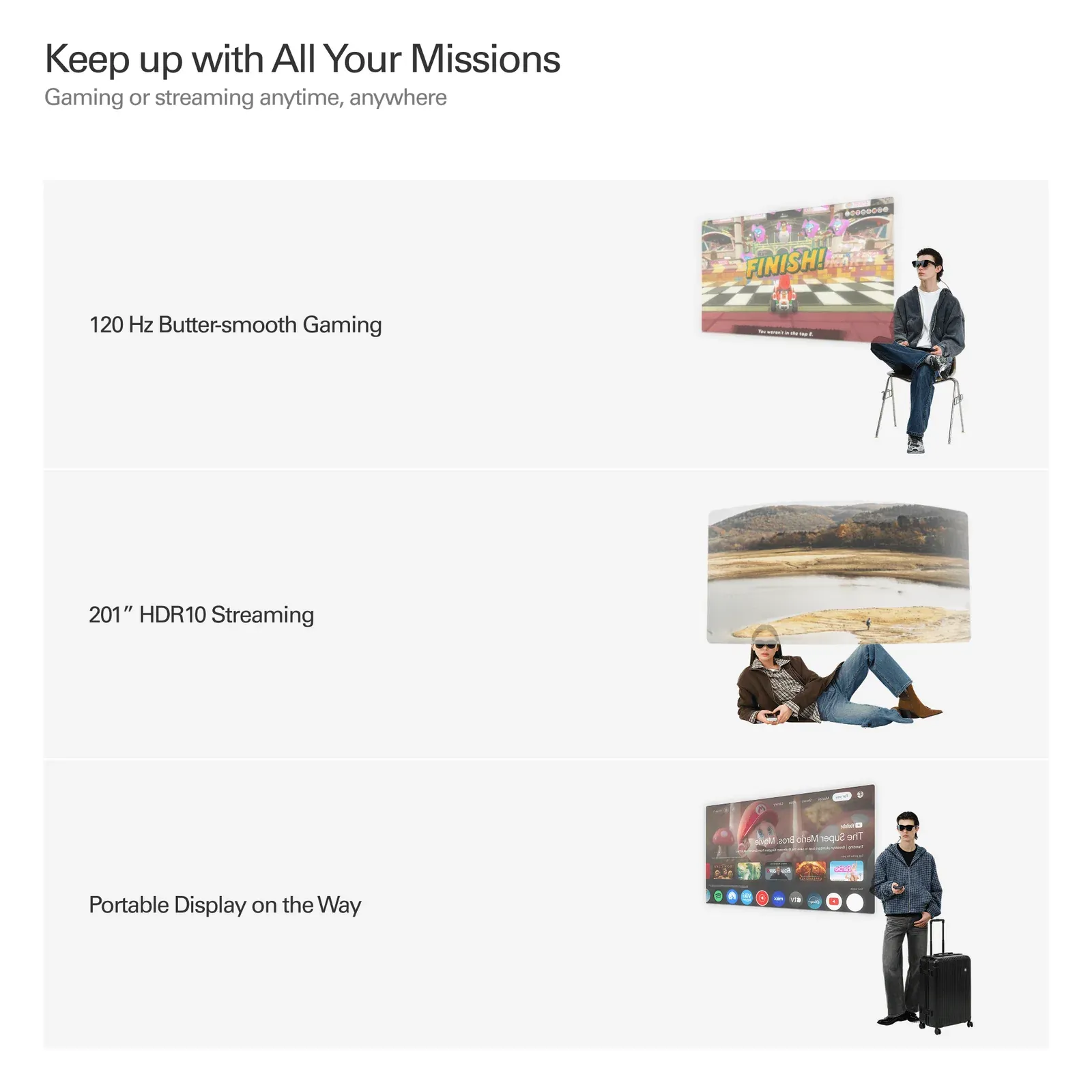
RayNeo positions the glasses around three jobs, and travel is one of them. Image: RayNeo.
The five things that decide the flight
| What | Why it matters in a cabin | The fix |
|---|---|---|
| Ambient light | A bright cabin washes out an open-design display | The light shield that ships in the box |
| Audio leakage | Open-ear speakers are audible to the person beside you | Whisper Mode 2.0, or the $15 Sound Tube |
| Power | The glasses draw from your phone, which is also your content source | A USB-C power bank, or the $35 USB-C adapter |
| Offline viewing | Cabin Wi-Fi is unreliable and often paywalled | Download before you fly — and check the DRM trap below |
| Etiquette | Cabin crew need your attention during safety briefing and taxi | Treat them like headphones: off for the briefing, on once airborne |
Ambient light: use the light shield
The Air 4 Pro is an open-design display — you can see the cabin around the image, which is the point of AR glasses and also their weakness. In a bright cabin the picture looks washed out.
The box includes a light shield that clips on and blocks ambient light around the lenses. It is the single most useful thing you can carry for daytime flights, and it is free — most people leave it in the box and never realise what it is for. The full box contents are worth checking once.
Audio: the neighbour problem
The quad-speaker array is open-ear by design. At normal volume the person next to you hears a thin version of whatever you are watching.
Two levels of fix:
- Whisper Mode 2.0 — the built-in phase-cancellation mode. It reduces how much audio escapes. On a plane it is usually enough at low volume.
- The Sound Tube — a small clip-on that routes audio toward your ear canal instead of into the room. RayNeo claims up to 80% less leakage and roughly 15 dB of effective extra volume. At $15 it is the cheapest accessory in the range and the one that matters most on a plane.
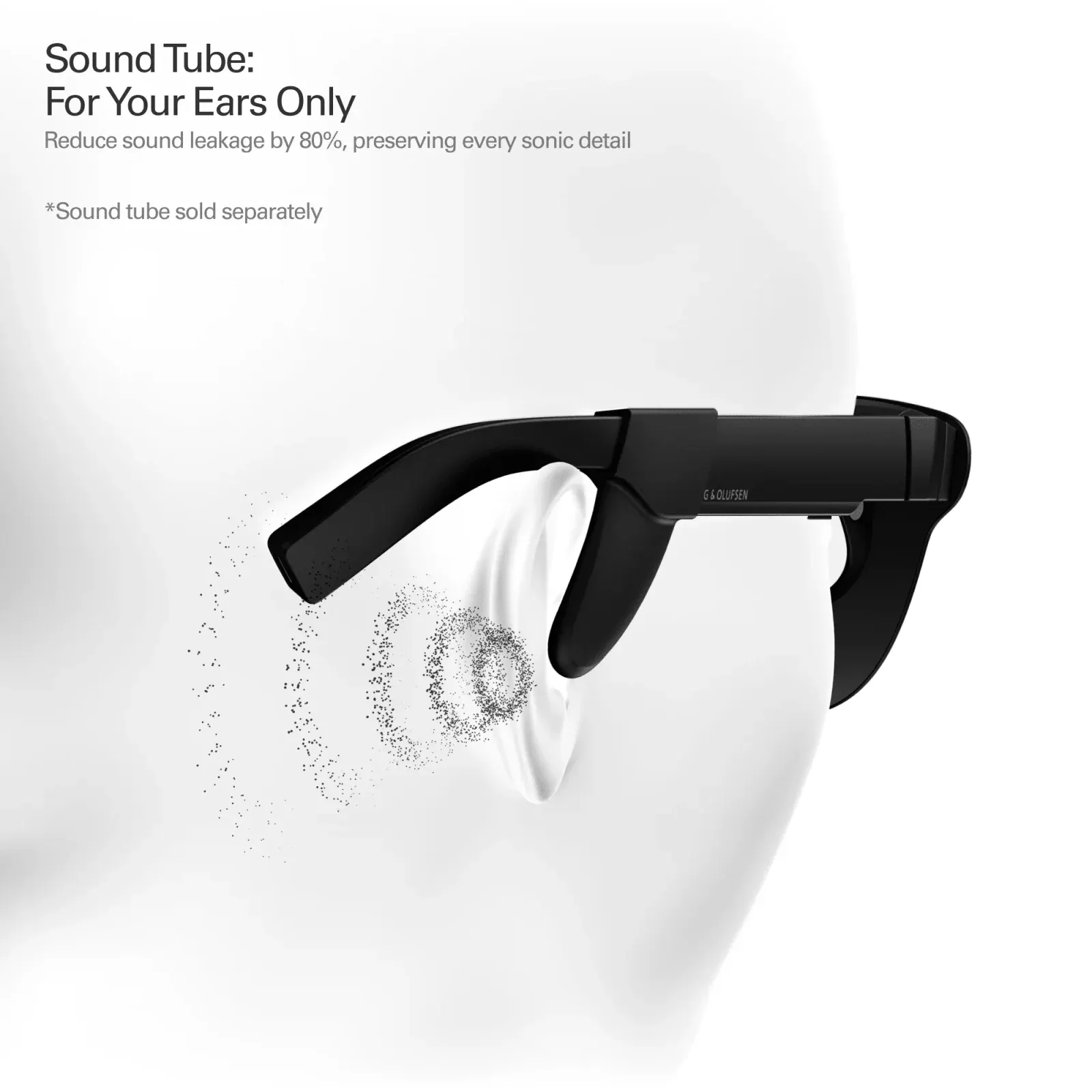
The Sound Tube is the accessory to buy if you fly. It costs $15 and cuts leakage by up to 80%. Image: RayNeo.
A cheap pair of wired earbuds under the glasses also works and takes no space, but you lose the point of the open-ear design — and you cannot wear them comfortably if you use prescription inserts.
Power: the real constraint
There is no battery in the glasses. They draw power from whatever they are plugged into — which, on a plane, is your phone. So the glasses are not the thing that runs out; your phone is, and it is also the device holding your downloaded films.
Practical options:
- Charge before boarding, and expect the glasses to take a meaningful bite out of your phone’s battery on top of normal playback.
- A USB-C power bank with Power Delivery. The Air 4 Pro supports up to 100 W PD passthrough, so a bank between the phone and the glasses keeps both alive.
- The $35 USB-C charging adapter does the same thing in-line, and RayNeo’s own compatibility list names phones, tablets and handhelds.
Note that a power bank must go in your carry-on, not checked luggage — most airlines and regulators require lithium batteries in the cabin.
Offline viewing: the iOS DRM trap
This is the one that catches people out, and it has nothing to do with the glasses.
iOS blocks DRM-protected video from external displays. Plug an iPhone into the Air 4 Pro and Netflix, Disney+, Prime Video and similar apps will refuse to play — you get audio, an error, or a black screen. It is a platform restriction, not a fault with the glasses.
What actually works for offline viewing:
| Source | Works on a plane? |
|---|---|
| Android phone or tablet | Yes — download in the app and play to the glasses |
| Laptop (Mac or Windows) | Yes — the most reliable option, and it does not drain your phone |
| iPad | Yes, for content that is not DRM-blocked |
| iPhone | Only for non-DRM video (your own files, YouTube downloads, some apps) |
| Pocket TV | Not offline — it streams, so it needs Wi-Fi |
If you are flying with an iPhone and want to watch Netflix, bring a laptop or an Android device instead. The full explanation is in the streaming guide.
RayNeo’s Pocket TV ($129) is an Android streaming box with its own 6,500 mAh battery and around 5.5 hours of playback. It is excellent in a hotel or lounge, but it streams rather than storing content, so it is not an offline solution for a long-haul flight.
Etiquette and crew instructions
Treat the glasses exactly as you would headphones:
- Off during the safety briefing. Cabin crew need to know you can hear them.
- Expect to stow them for taxi, takeoff and landing, when loose items and larger electronics have to be put away.
- Keep the cable tidy. A USB-C cable running from your head to a bag in the seat pocket is a trip hazard in an aisle seat.
- Look up when crew pass. A person wearing dark glasses who does not respond reads as rude, even when you can hear perfectly.
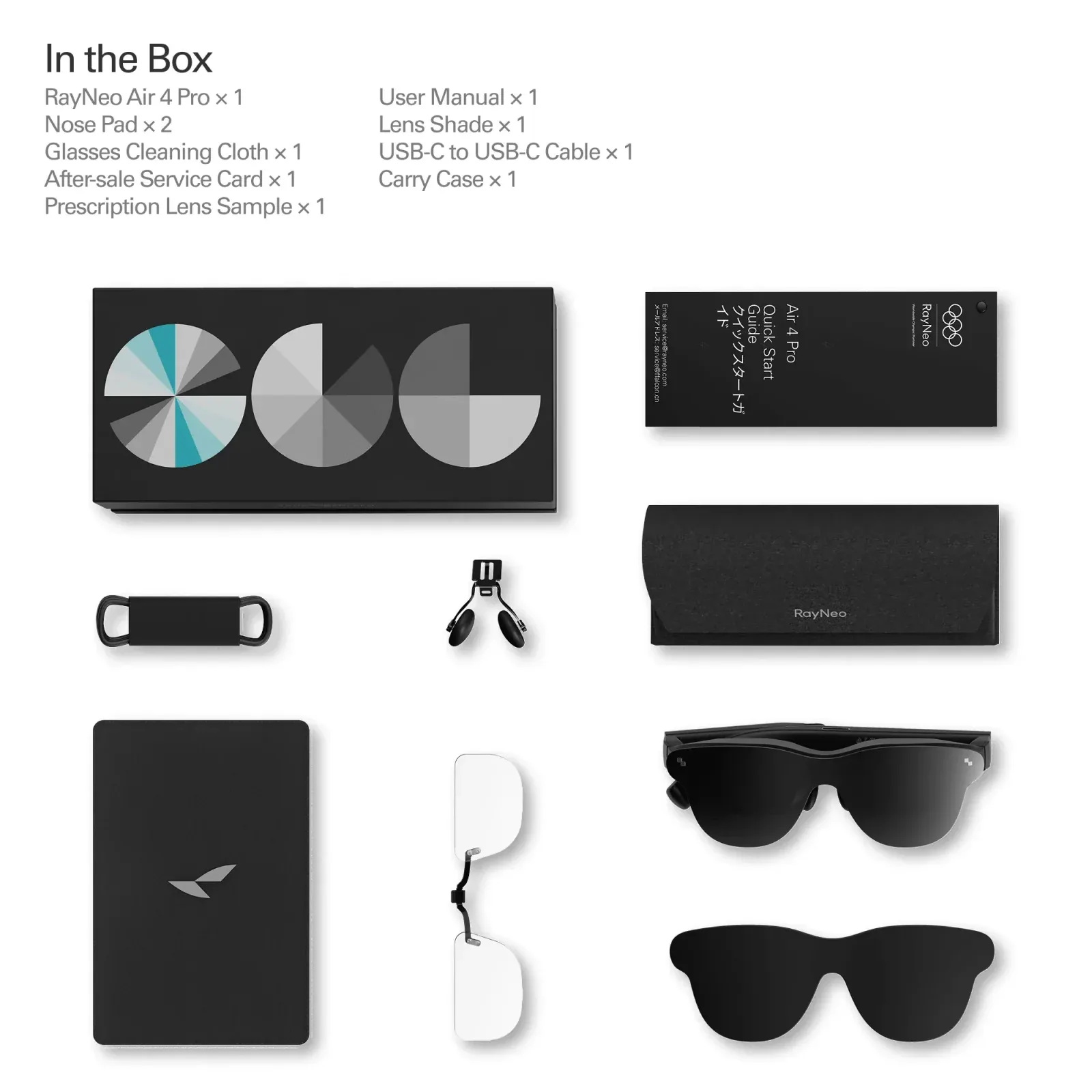
The light shield is the item most people leave in the box — it is the one that matters most on a daytime flight. Image: RayNeo.
What to pack
| Item | Needed? | Why |
|---|---|---|
| The glasses + the included USB-C cable | Yes | The bundled cable carries video; some third-party cables are charge-only |
| Light shield | Yes for daytime flights | Blocks cabin light so the picture stays contrasty |
| Sound Tube ($15) | Yes if you fly often | Cuts leakage by up to 80% |
| Power bank | Yes for long-haul | The glasses drain your phone |
| USB-C adapter ($35) | Optional | Only if you need to charge and watch from one port |
| Prescription inserts | If you wear glasses | You cannot stack spectacles under the frame |
| Carry case | Yes | Included, and the glasses do not survive being crushed in a bag |
Is it worth it on a plane?
Yes, and this is the use case where the Air 4 Pro makes the most sense. It solves the two real problems of in-flight entertainment: the tiny seat-back screen at an awkward angle, and the neck strain of looking down at a device. It does it in 76 grams with no battery to manage and no screen anyone else can see.
The one thing to get right before you fly is the content source. Sort out offline downloads on a device that is not an iPhone, and the rest of the flight takes care of itself.
FAQ
Are AR glasses allowed on planes?
Yes. The RayNeo Air 4 Pro is a wearable display, not a transmitting device, so there is no aviation restriction on wearing it. Expect to stow it during taxi, takeoff and landing, and to remove it for the safety briefing.
Can you use the Air 4 Pro with in-flight Wi-Fi?
Yes — the glasses are just a display, so anything your phone or laptop can show, they can show. That said, in-flight Wi-Fi is often too slow for streaming, so downloaded content is the better plan.
Do the glasses work without a phone?
No. There is no battery and no operating system inside. They need a source device over USB-C — a phone, tablet, laptop or handheld.
Will the glasses drain your phone’s battery?
Yes. The glasses take their power from the host, so your phone powers both the playback and the display. Budget for it on long flights and carry a power bank.
Can you wear them over your normal glasses on a plane?
Not comfortably. The frame sits close to your face and stacking spectacles pushes the display outside the 14 × 7 mm eyebox. Use the prescription inserts instead — the lens frame is included with the glasses.
Is there a way to watch Netflix offline with the Air 4 Pro?
Yes, just not from an iPhone. Use an Android device or a laptop, download in the Netflix app, and play to the glasses. iOS blocks DRM-protected video from external displays, so the iPhone route will not work.
Do the glasses work on a train or bus?
Exactly the same way, and the same advice applies — the Sound Tube matters even more in a quiet carriage.
Related: the accessory guide covers the Sound Tube, Pocket TV and adapters in detail, the setup guide handles what connects to what, and the streaming guide explains the DRM restrictions properly.